
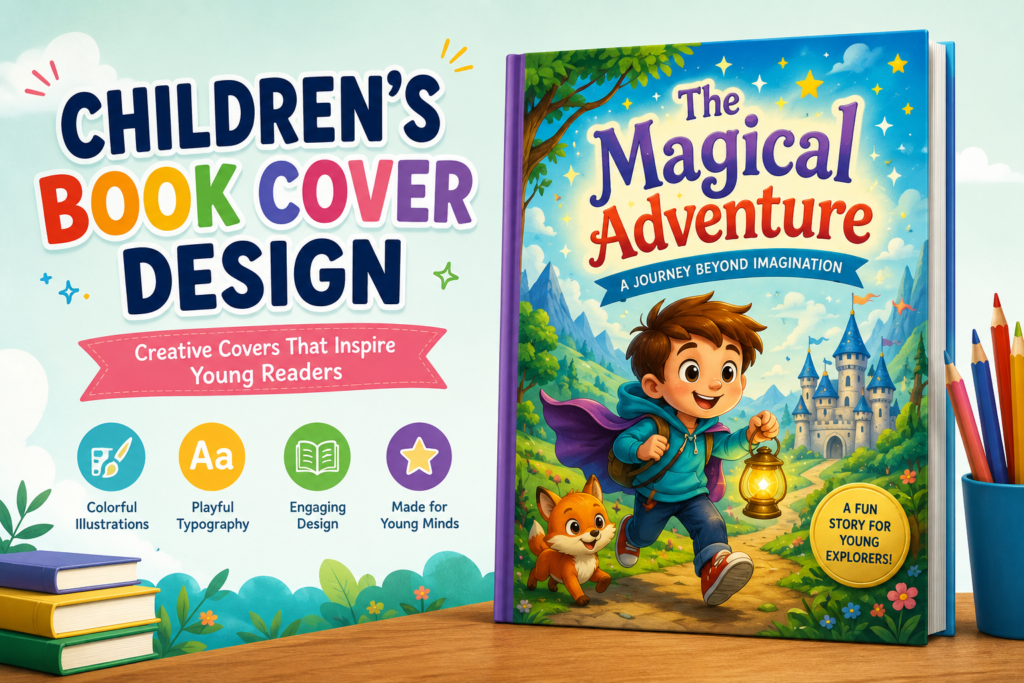
Childrens Book Cover Design is one of the most important parts of a successful children’s book. Before a child or parent reads the story, the book cover creates the first impression. A colorful, creative, and professionally designed cover can instantly attract attention and encourage readers to explore the book further.
Whether it is a storybook, activity book, educational workbook, or picture book, the cover design should reflect the theme, mood, and target age group of the book. A strong book cover not only improves visual appeal but also helps build trust and professionalism for authors and publishers.
Why Book Cover Design Matters
Children are naturally attracted to visuals, colors, and characters. Unlike adult books, children’s books rely heavily on illustrations and playful designs to grab attention.
A well-designed Childrens Book Cover Design helps:
- Increase reader interest
- Create emotional connection
- Highlight the book’s theme
- Improve online and offline visibility
- Make the book look professional
- Support branding and marketing
In today’s competitive publishing market, a creative Book Cover Design can make a book stand out among thousands of others.
Key Elements of a Great Book Cover Design
1. Eye-Catching Illustrations
Illustrations are the heart of Book Cover Design. Bright and engaging artwork instantly attracts children and creates curiosity.
Popular illustration styles include:
- Cartoon-style characters
- Watercolor illustrations
- Fantasy artwork
- Hand-drawn art
- Flat vector illustrations
- Cute animal characters
The illustration style should match the story and target age group.
Design Tip:
Use expressive character faces and action-based scenes to create excitement and emotion in your Book Cover Design.
2. Bold and Readable Typography
Typography plays a huge role in making a Book Cover Design visually attractive and easy to understand.
Best font styles include:
- Rounded fonts
- Handwritten playful fonts
- Bold display fonts
- Large readable titles
Avoid complicated fonts that are difficult for children or parents to read quickly.
Design Tip:
Use contrasting colors between text and background for better readability in your Childrens Book Cover Design.
3. Bright and Engaging Colors
Color selection strongly affects how children respond to a Book Cover Design. Bright colors create energy, fun, and excitement.
Popular color combinations include:
- Yellow and blue
- Orange and green
- Pink and purple
- Sky blue and white
- Red and yellow
Each color creates a different emotional feeling.
Design Tip:
Use vibrant but balanced colors to avoid overwhelming the Book Cover Design.
4. Simple and Clean Layout
A clutter-free Childrens Book Cover Design performs better because it keeps the focus on the title and illustrations.
A professional children’s book cover should include:
- Clear title placement
- Balanced spacing
- Proper hierarchy
- Organized visual elements
- Strong focal point
Too many elements can confuse young readers.
Design Tip:
Leave enough white space around important design elements for a cleaner Childrens Book Cover Design appearance.
Types of Childrens Book Cover Designs
Picture Book Covers
Picture books usually focus on large illustrations and minimal text. These Childrens Book Cover Design styles rely heavily on storytelling visuals.
Features include:
- Large characters
- Full-cover illustrations
- Bright backgrounds
- Emotional expressions
Picture book covers should instantly tell a visual story.
Educational Book Covers
Educational books require Childrens Book Cover Design layouts that feel both fun and informative.
Common design elements include:
- Learning icons
- Educational illustrations
- Organized typography
- Friendly colors
- Interactive visuals
Educational covers should look engaging while maintaining clarity.
Activity Book Covers
Activity books need energetic and playful Childrens Book Cover Design concepts that encourage interaction.
Popular cover elements:
- Puzzle graphics
- Coloring illustrations
- Fun typography
- Bright icons
- Creative layouts
These covers should communicate fun and creativity immediately.
Fantasy and Adventure Covers
Fantasy children’s books often use magical themes and imaginative artwork in Childrens Book Cover Design.
Common elements include:
- Castles
- Forests
- Dragons
- Magical lighting
- Adventure scenes
Fantasy covers help create curiosity and excitement for young readers.
Modern Trends in Childrens Book Cover Design
Children’s publishing trends continue to evolve with modern Childrens Book Cover Design styles and digital creativity.
Popular trends in 2026 include:
- Minimalist children’s covers
- Flat vector illustrations
- Soft pastel color palettes
- Bold typography
- Hand-drawn character art
- 3D illustration styles
- Full-bleed cover artwork
- AI-assisted design concepts
Modern cover designs focus on readability, creativity, and emotional storytelling.
Importance of Target Age Group in Cover Design
Different age groups require different Book Cover Design styles.
Toddlers and Preschoolers
- Bright colors
- Large illustrations
- Simple typography
- Friendly characters
Early Readers
- Fun typography
- Storytelling visuals
- Balanced text and illustrations
Older Children
- More detailed artwork
- Strong themes
- Adventure-focused visuals
Designing according to the age group helps improve reader connection and engagement.
Common Mistakes to Avoid
Many beginners make Book Cover Design mistakes that reduce the effectiveness of the cover.
Avoid:
- Overcrowded layouts
- Low-quality illustrations
- Tiny text sizes
- Poor color combinations
- Too many font styles
- Weak title visibility
- Inconsistent design themes
A clean and professional design always creates a stronger impact.
Best Software for Childrens Book Cover Design
Professional designers commonly use:
- Adobe Photoshop
- Adobe Illustrator
- Canva
- Procreate
- Affinity Designer
These tools help create high-quality and print-ready Childrens Book Cover Design projects.
Tips for Creating Professional Childrens Book Covers
Focus on Storytelling
The cover should visually represent the story inside.
Keep It Child-Friendly
Use playful and engaging visuals in your Childrens Book Cover Design.
Use High-Resolution Graphics
Sharp and clear illustrations improve quality significantly.
Maintain Consistent Branding
If creating a series, keep visual consistency across all books.
Test Your Design
Check how the Book Cover Design looks in both print and digital thumbnail sizes.
Final Thoughts
A creative Childrens Book Cover Design can transform a simple book into something exciting and memorable. The right combination of illustrations, typography, colors, and layout helps attract young readers while giving the book a professional appearance.
Whether you are designing a storybook, educational workbook, activity book, or fantasy adventure, investing in a high-quality Childrens Book Cover Design is essential for success in today’s publishing industry.
A visually appealing Childrens Book Cover Design not only increases reader interest but also creates a lasting impression that encourages children to pick up the book and begin their reading journey.
Pingback: How to Publish a Book for Beginners & Publishing | 2026